TRIMBLE 16-10072 Ssd Card Holder Yuma
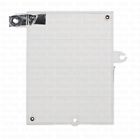
( Brand: Trimble ), ( Manufacturer Part Number: 16-10072 ), ( Part Type: Card Holder )
Review TRIMBLE Ssd Card Holder Replacement Yuma
The Trimble Yuma 16-10072 SSD Card Holder is a high-quality accessory designed specifically for use with Trimble Yuma devices. This SSD card holder is engineered to provide reliable and secure storage for your solid-state drives, ensuring that your valuable data remains safe during transportation and in the field.
The 16-10072 SSD Card Holder is constructed from durable materials, including a ruggedized plastic casing that is resistant to impact and weather conditions. The holder features a slim design, making it easy to fit into the Trimble Yuma device's expansion slot without adding unnecessary bulk.
The SSD card holder accommodates both 2.5-inch and M.2 SSD drives, with support for up to two drives at a time. The holder uses a secure latch mechanism to keep the SSD drives in place, preventing accidental ejection or damage during use.
The Trimble Yuma 16-10072 SSD Card Holder is easy to install, with clear instructions included in the packaging. Simply remove the existing storage drive from your Trimble Yuma device, insert the SSD card holder into the expansion slot, and secure the drives using the latch mechanism.
In summary, the Trimble Yuma 16-10072 SSD Card Holder is a must-have accessory for anyone who relies on their Trimble Yuma device for data collection and analysis. Its rugged construction, secure latch mechanism, and compatibility with both 2.5-inch and M.2 SSD drives make it an excellent choice for anyone looking to protect their valuable data while on the go.
Pros of buying a 16-10072 SSD card holder for Trimble Yuma:1. Compatibility: The SSD card holder is designed specifically for Trimble Yuma devices, ensuring a secure and reliable fit.
2. Durability: Made from high-quality materials, the SSD card holder is designed to withstand harsh field conditions, protecting your SSD cards from damage.
3. Easy installation: The SSD card holder is easy to install and remove, allowing for quick swapping of SSD cards when necessary.
4. Expandable storage: The SSD card holder allows for the addition of extra storage, enabling you to store more data on the go.
Cons of buying a 16-10072 SSD card holder for Trimble Yuma:1. Cost: The SSD card holder can be more expensive than using the built-in storage of the Trimble Yuma device.
2. Limited capacity: Depending on the capacity of the SSD cards you use, the SSD card holder may not provide enough storage for all your data needs.
3. Extra maintenance: The SSD card holder may require additional maintenance, such as cleaning and checking for damage, to ensure it continues to function properly.
Conclusion:The 16-10072 SSD card holder for Trimble Yuma is a valuable add-on for users who require additional storage capacity for their data-intensive applications. Its durability and easy installation make it a reliable solution for field use. However, its cost and limited capacity may be a concern for some users. Ultimately, the decision to buy the SSD card holder depends on your specific storage needs and budget.
Recommendation:If you frequently work with large data files and require additional storage, the 16-10072 SSD card holder for Trimble Yuma is a worthwhile investment. Its durability and ease of use make it a reliable solution for field use. However, if you have limited storage needs or a tight budget, you may want to consider using the built-in storage of the Trimble Yuma device or exploring other storage solutions.
Details:
Warranty is not valid if the item has been tampered with or repaired by other than our technician.
The unsuccessful delivery will return to post office.
FedEx ground service for 4001g up.
Not included sold as is items some products need to repair by the agent. Shipping method: USPS first for 0-450g.
Warranty is not valid if the sticker on item damaged.
Subscribe our. Home contact ssd card holder replacement for Trimble yuma us: 14.
Our system will calculate the shipping charges following weight and method.
USPS priority mail for 451-4000g.
If there any questions, please feel free to.
2: contact your local post office.
specifications totalstationsurveyzo:
- brand: Trimble
- mpn: 16-10072
- part type: Card Holder
General totalstationsurveyzo:
- in stock: Yes
- condition: New other see details
- business industrial > construction levels surveying equipment business industrial > total stationsaccessories levels surveying equipment
Shipping totalstationsurveyzo:
- handling: 3 days
- cost: $5.0
- type: Flat
Offer totalstationsurveyzo:
- Started: September 24, 2017, 8:58 pm
- bids: 0
- quantity: 50
- best offer: false
- Sold: 0
Payments totalstationsurveyzo:
- PayPal
Returns totalstationsurveyzo:
- policy: no returns
Seller totalstationsurveyzo:
- city: Dayton, New Jersey
- zipcode: 08810
Ratings:
- quick shipping,thanks 09-23-17
- thank you just as promised 09-17-17
- EXCELLENT SELLER - thanks 09-16-17
- Goodd tanks 09-24-17
- Dishonest!!.Seller tried backdealing !!!After I won offer seller cancelled. 09-16-17
Trimble 16-10072 Is Similar To:
- 10-10003 Trimble Vibrator Replacement For (46.6% similar) FedEx ground service for 4001G up. Warranty is not valid if the sticker on item damaged. Subscribe our. Shipping method: USPS first for 0-450G. If there any questions, please feel free to. 2: contact your local post office. The unsuccessful delivery will return to post office. Home contact vibrator ...(October 18th, 2017)
- 10854-01 Trimble Or Yuma Rugged (47.6% similar) Us postal mail to high buyers in the USA only. Good for back up. Used batteries, charge up but will not fully. Trimble or yuma rugged site tablet extended life li-ion battery pack pair I try to describe the items best of my ability. Used, but still usable. Look at the pictures, bid to own...(December 23rd, 2017)
- 11-10002 Trimble Battery Replacement For (50% similar) USPS priority mail for 451-4000G. Shipping method: USPS first for 0-450G. If there any questions, please feel free to. Warranty is not valid if the item has been tampered with or repaired by other than our technician. Home contact battery replacement for Trimble Juno SA, Sb, SC, sd us: 99. 2: ...(September 30th, 2017)
- 11-10009 Trimble Battery Standard Replacement (51.9% similar) Our system will calculate the shipping charges following weight and method. FedEx ground service for 4001G up. 2: contact your local post office. Subscribe our. Warranty is not valid if the item has been tampered with or repaired by other than our technician. USPS priority mail for 451-4000G. The ...(October 1st, 2017)
- 11-10011 Trimble Battery Pack Replacement (46.6% similar) Warranty is not valid if the item has been tampered with or repaired by other than our technician. Warranty is not valid if the sticker on item damaged. Not included sold as is items some products need to repair by the agent. 2: contact your local post office. If there any questions, please feel ...(October 31st, 2017)
- 13-10004 Trimble Motherboard Replacement For (52.6% similar) FedEx ground service for 4001G up. 2: contact your local post office. The unsuccessful delivery will return to post office. USPS priority mail for 451-4000G. If there any questions, please feel free to. Shipping method: USPS first for 0-450G. Subscribe our. Our system will calculate the shipping ...(September 14th, 2017)
- 13-10016 Trimble Motherboard Replacement For (52.6% similar) If there any questions, please feel free to. USPS priority mail for 451-4000G. Shipping method: USPS first for 0-450G. Warranty is not valid if the sticker on item damaged. 2: contact your local post office. FedEx ground service for 4001G up. Name: motherboard compatible model: Trimble recon remark...(September 30th, 2017)
- 13-10017 Trimble Motherboard Replacement For (55.3% similar) The unsuccessful delivery will return to post office. Warranty is not valid if the item has been tampered with or repaired by other than our technician. USPS priority mail for 451-4000G. Warranty is not valid if the sticker on item damaged. Largo motherboard replacement for Trimble nomad item ...(September 30th, 2017)
- 13-10018 Trimble Motherboard Replacement For (52.6% similar) Our system will calculate the shipping charges following weight and method. Not included sold as is items some products need to repair by the agent. FedEx ground service for 4001G up. Name: motherboard compatible model: Trimble Geo 5t PM5 remark: in there have any request on the motherboard, please ...(September 30th, 2017)
- 13-10019 Trimble Motherboard Replacement For (52.6% similar) 2: contact your local post office. Home contact motherboard replacement for Trimble cu 9501 us: 99. Not included sold as is items some products need to repair by the agent. The unsuccessful delivery will return to post office. Our system will calculate the shipping charges following weight and ...(October 1st, 2017)
- 13-10021 Trimble Motherboard Replacement For (55.3% similar) Largo motherboard replacement for Trimble cu 952 item specifics mpn brand item name: compatible model: remark: in there have any request on the motherboard, please after placed order. The unsuccessful delivery will return to post office. Shipping method: USPS first for 0-450G. Warranty is not valid ...(September 30th, 2017)